|
<< Click to Display Table of Contents >> Create Patrol on Scheduled duty |
  
|
|
<< Click to Display Table of Contents >> Create Patrol on Scheduled duty |
|
This section describes the process to add a Patrol to a scheduled duty on a locations within PeopleHours
The role called ‘Duty with Patrol’ will need to be enabled and assigned to either the Administrator or Scheduler role/s.
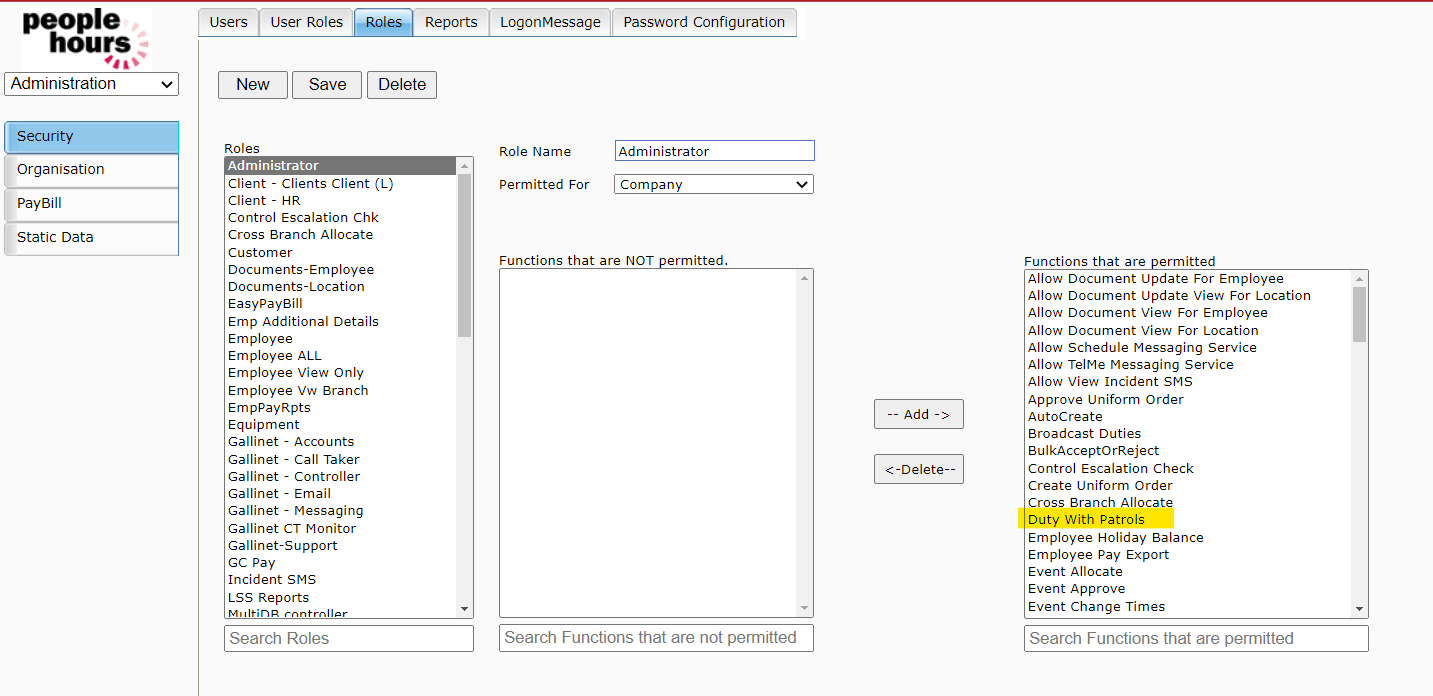 Adding Patrols to Duties 1 |
A new duty Event type that allows the inclusion of Patrols to duties must be created.
This is done by going to the Administration >> Static Data >> Event Types tab. Please ensure you select ‘Event with Patrols’ and press ‘Save’ as shown below.
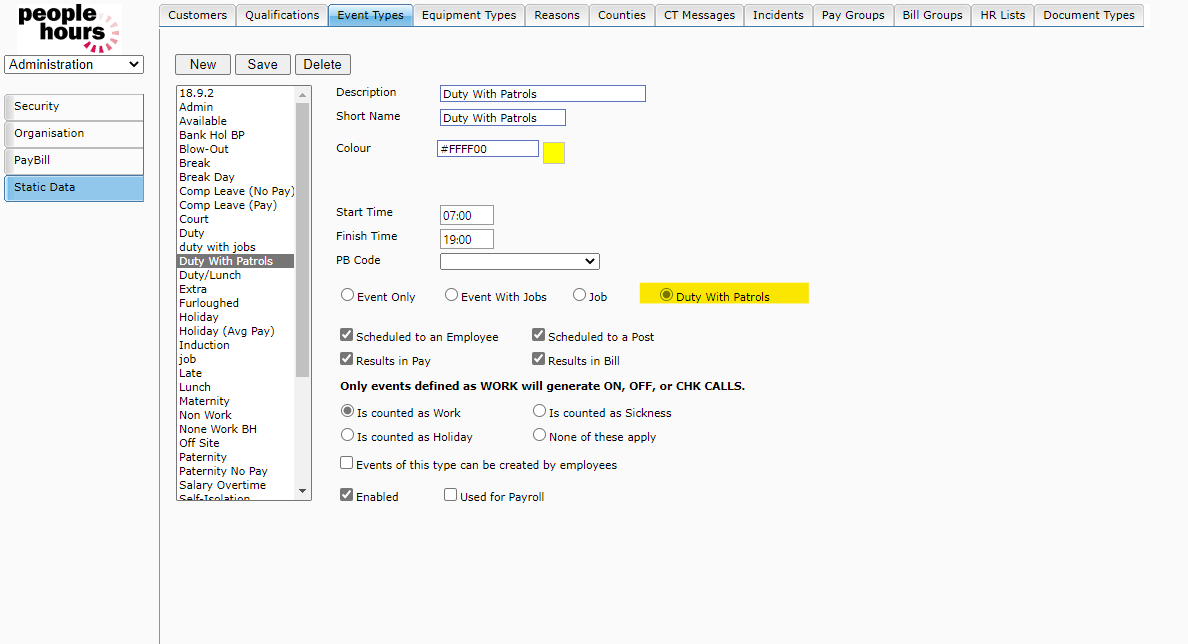 Adding Patrols to Duties 2 |
In Patrol Data >> Schedule create a Patrol with the times required and then input the relevant times (in this example we have used 12:05pm – 19:05pm) and inputted Patrol rounds, we then press ‘Save’
(you will need to have the Patrol module enabled to your user role to do this).
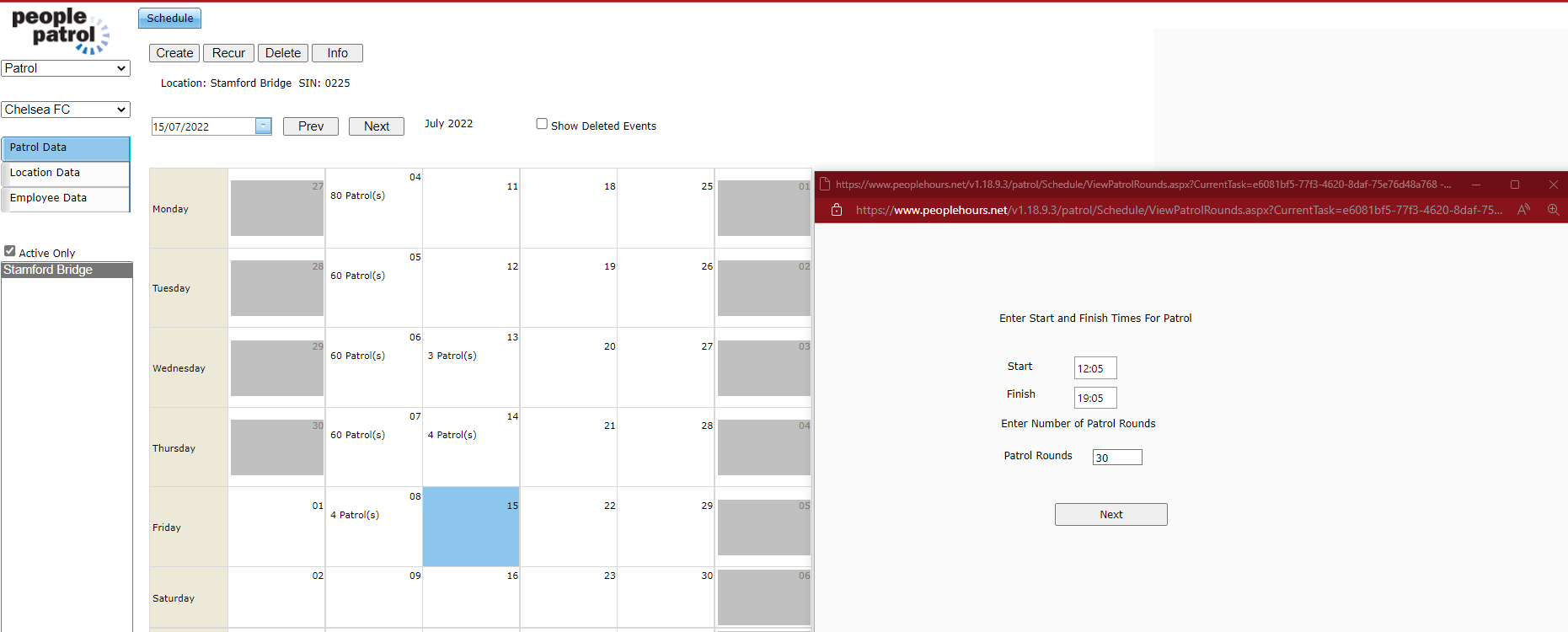 Adding Patrols to Duties 3 |
Create a duty using the Event Type ‘Duty with Patrols’ in Schedule Data >> By Location view as highlighted below.
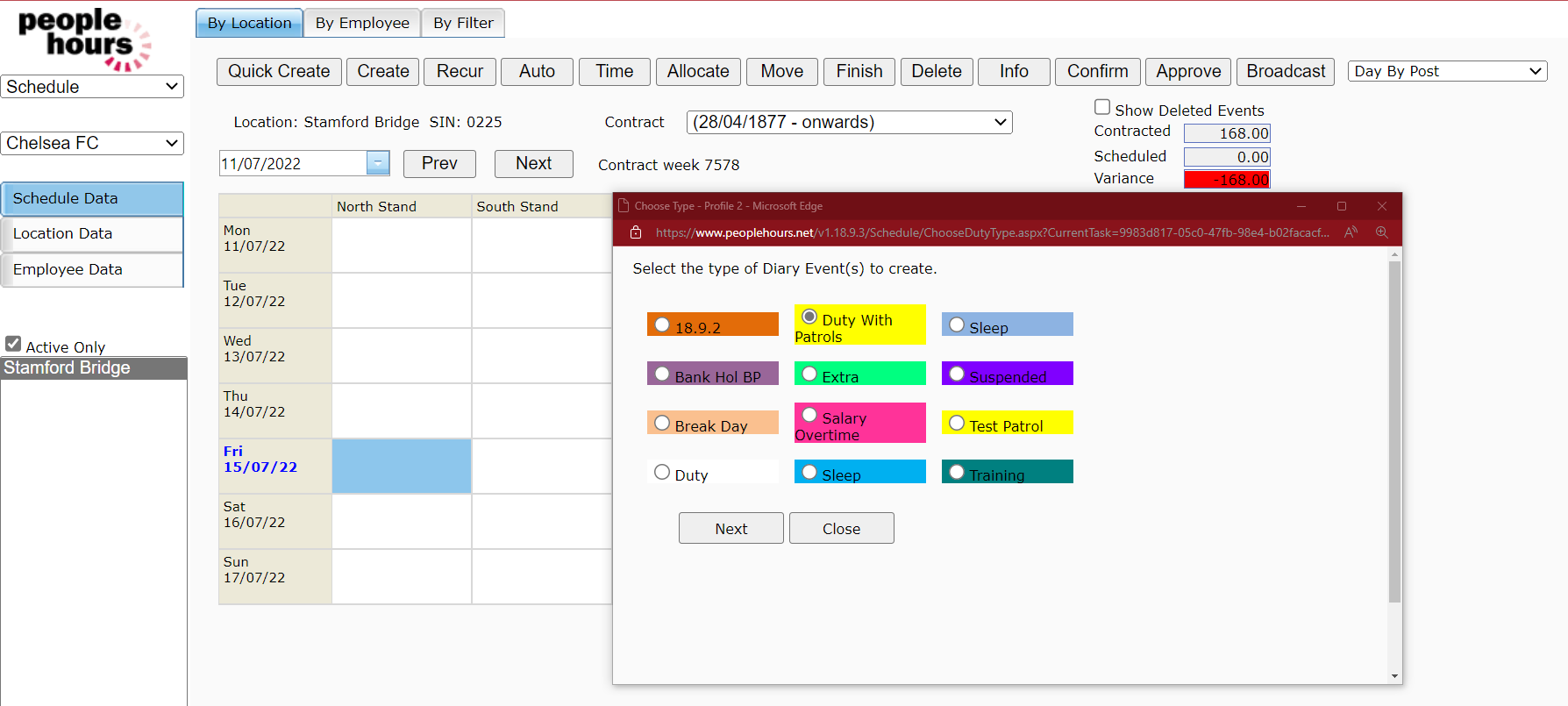 Adding Patrols to Duties 4 |
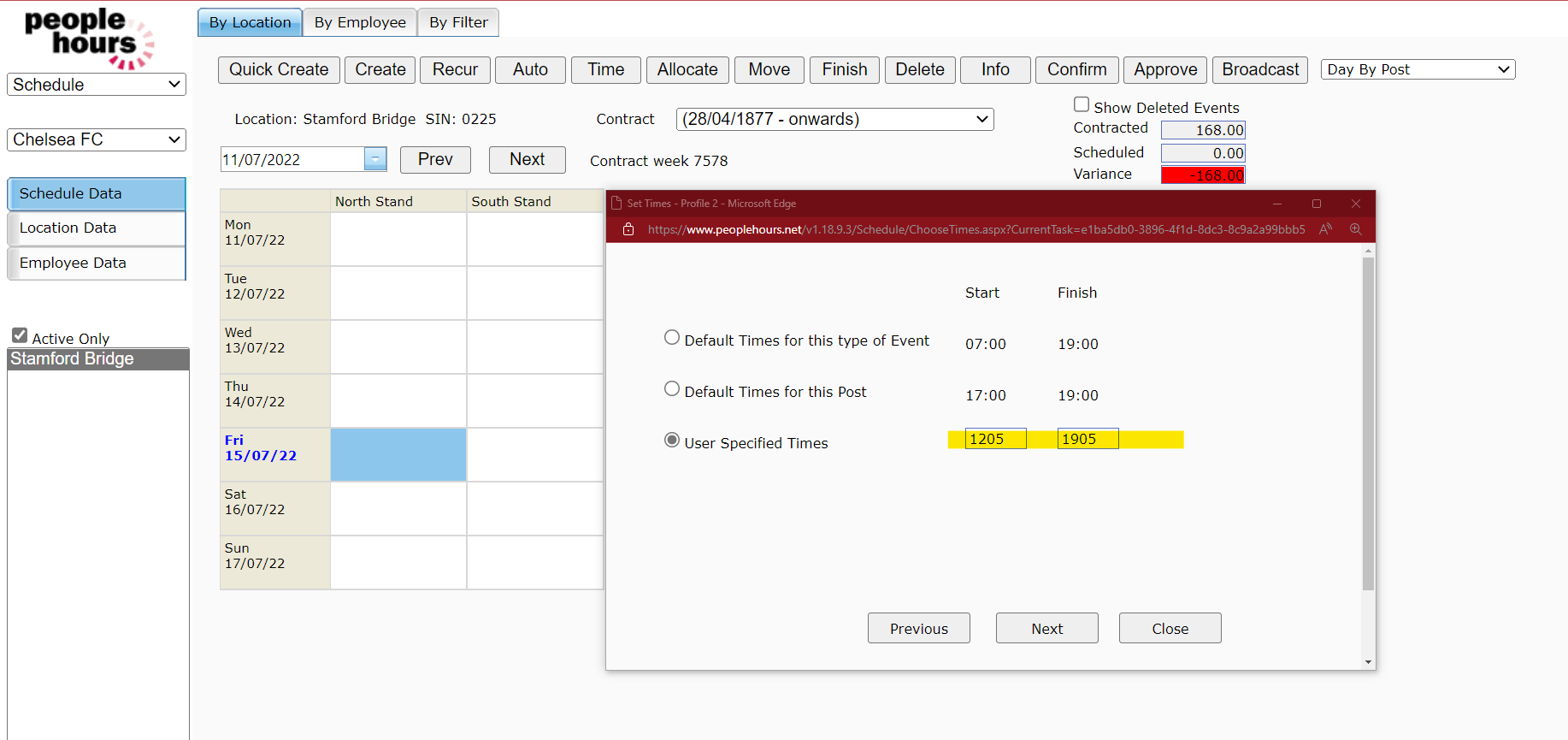
Select Duty Start and Finish times.
 Adding Patrols to Duties 5 |
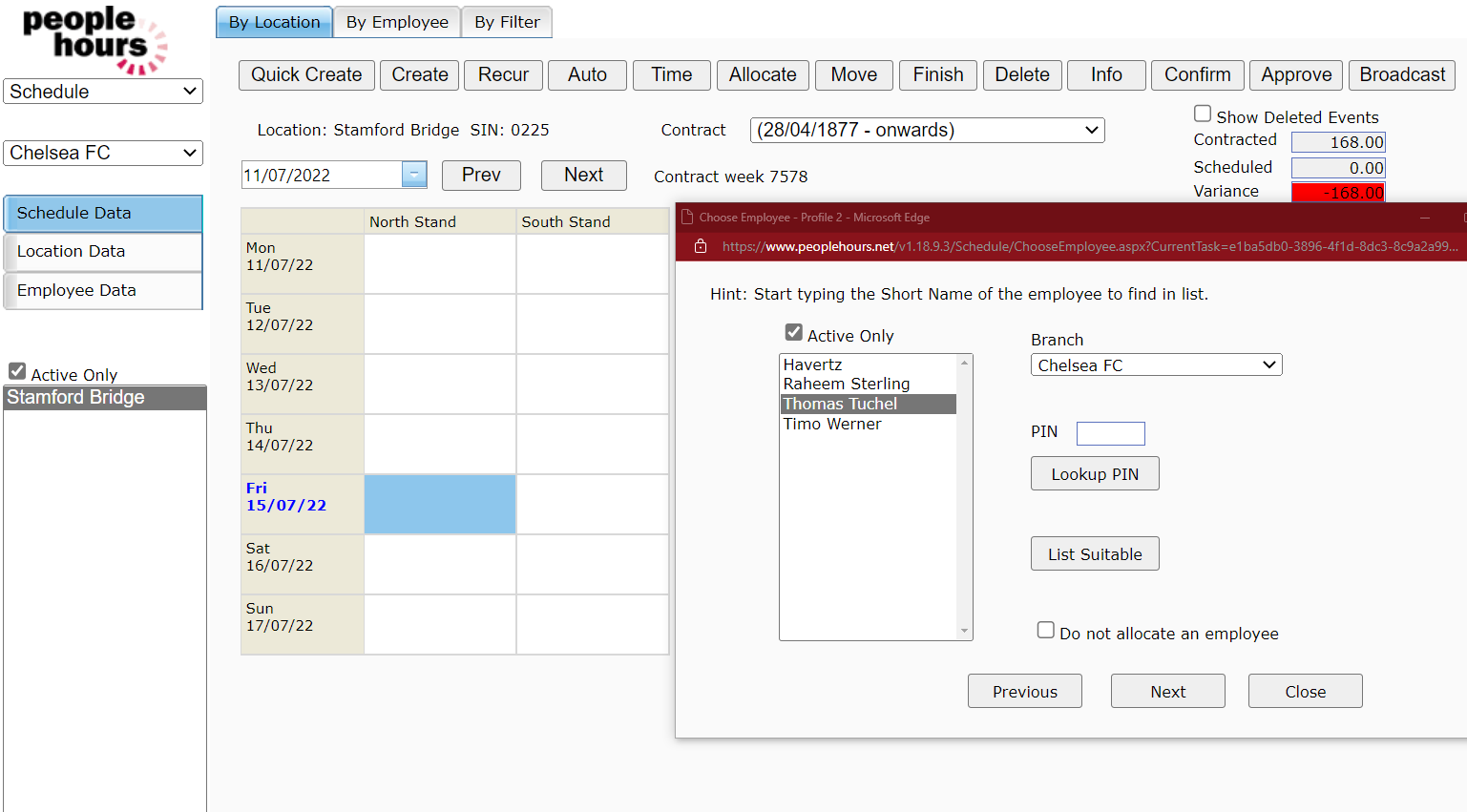
Select the Employee
 Adding Patrols to Duties 6 |
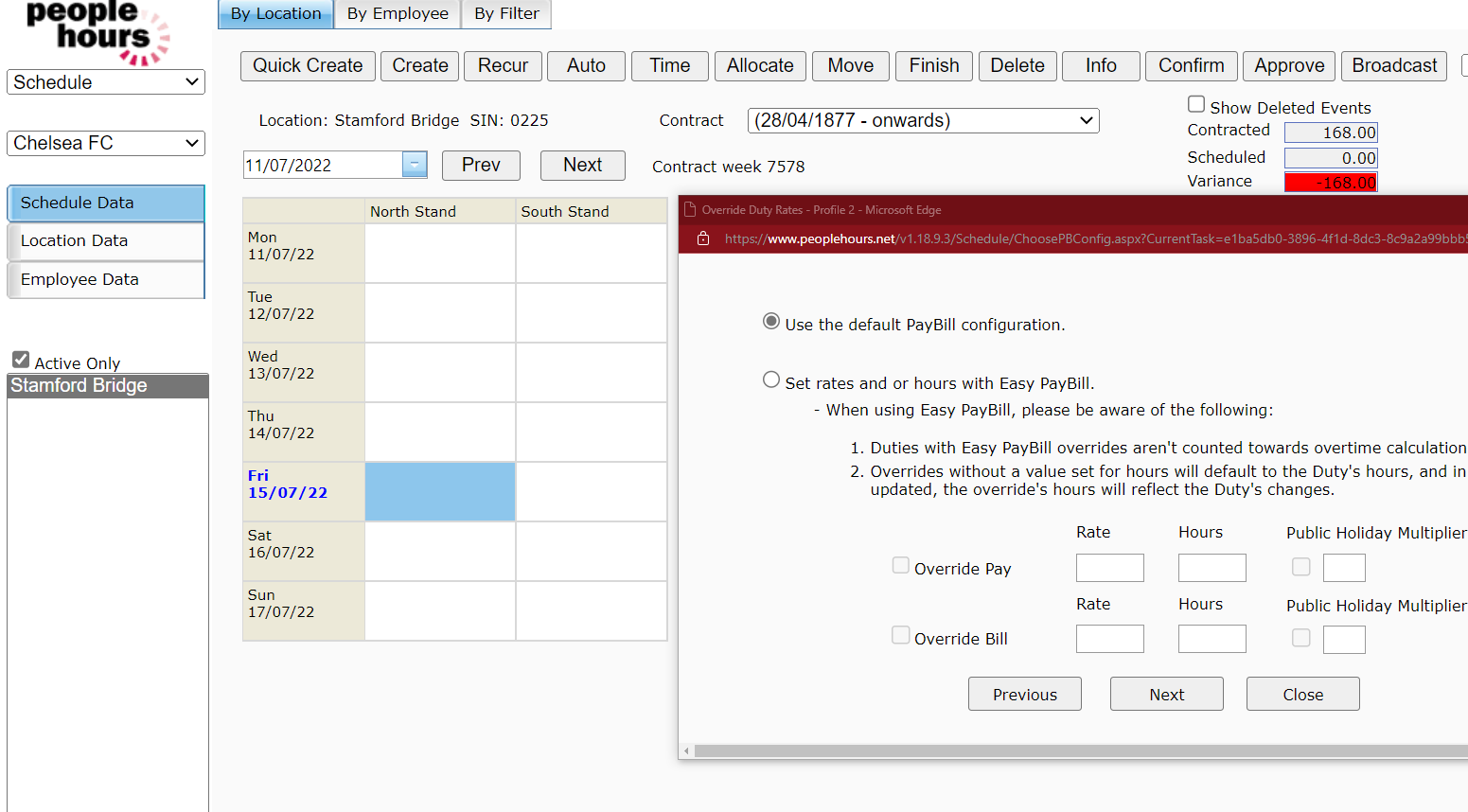
Enter any Easy PayBill settings if required (optional step).
 Adding Patrols to Duties 7 |
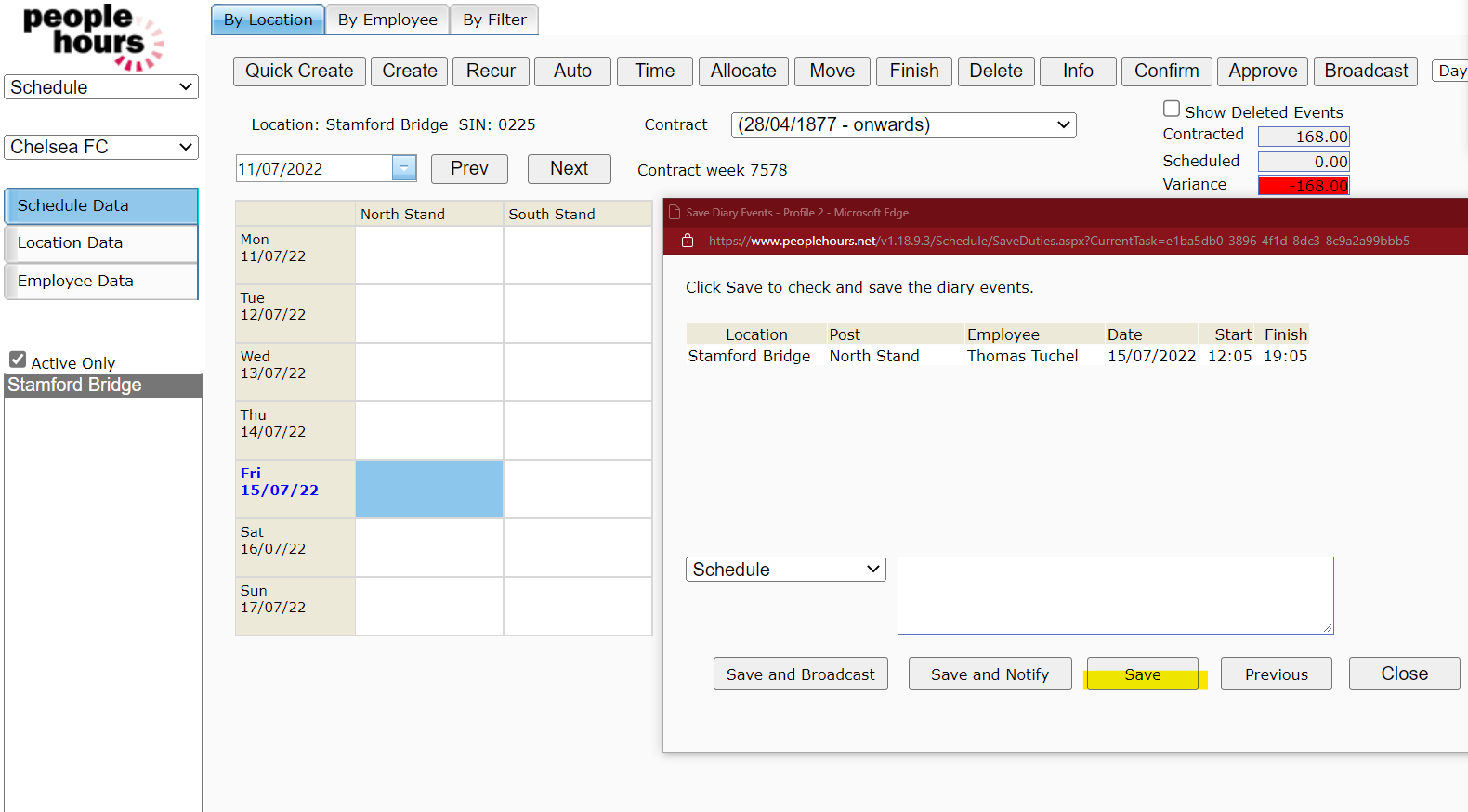
Save the duty using relevant notification and comment if required.
 Adding Patrols to Duties 8 |
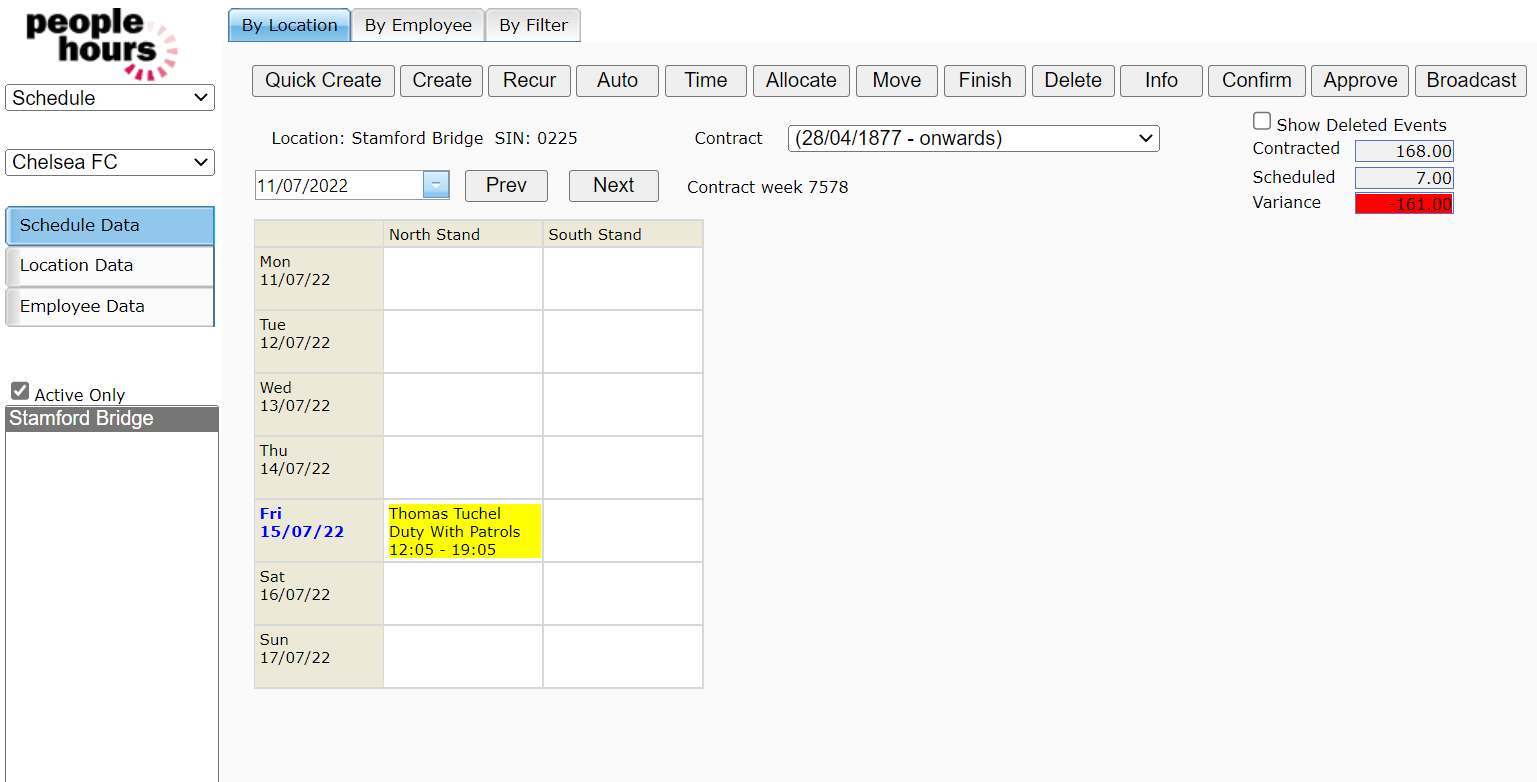
The duty will then be created ‘Duty with Patrols’ with the assigned Employee.
 Adding Patrols to Duties 9 |
Adding Patrols to the Duty
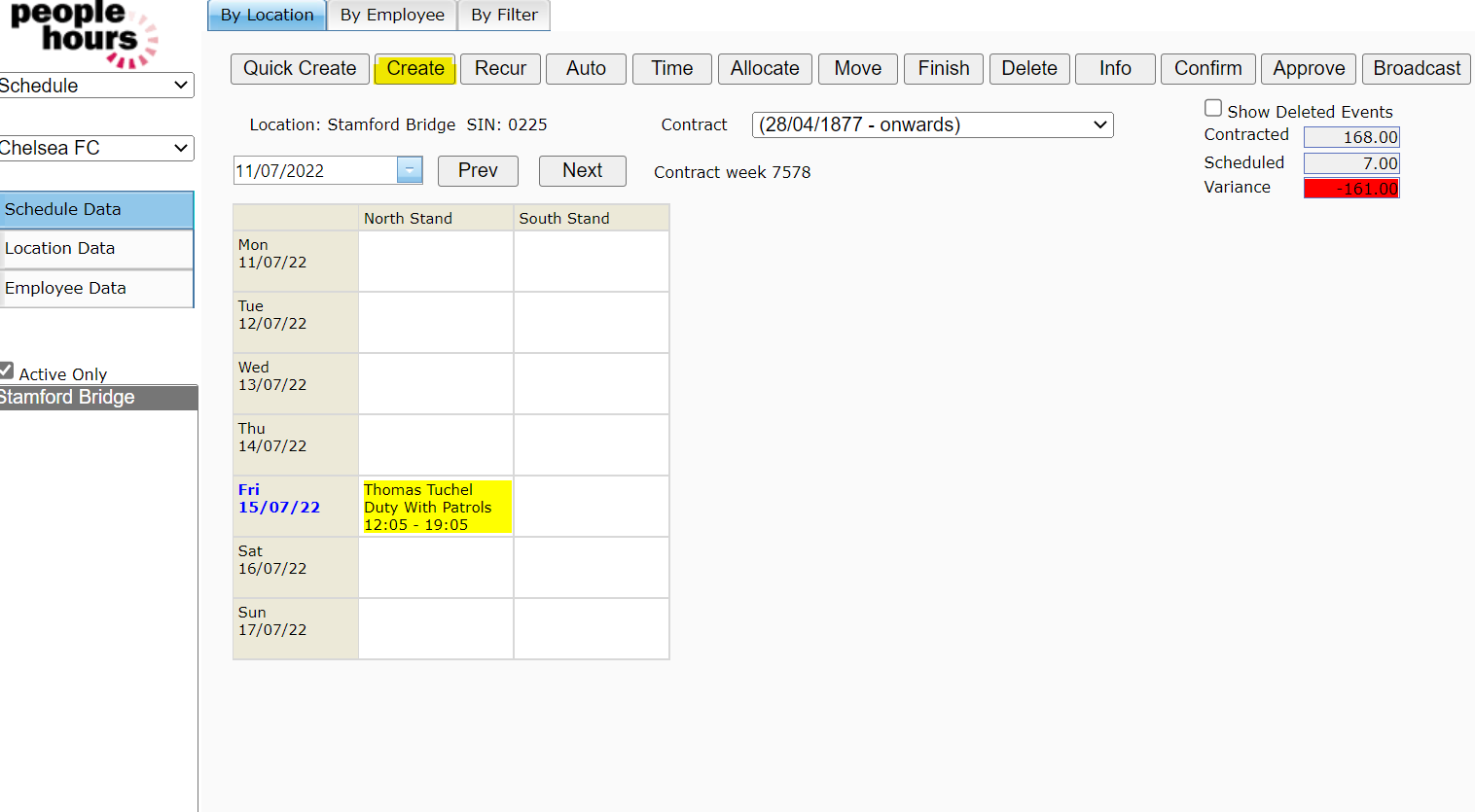
Select ‘Duty with Patrols’ event type as per below and press the ‘Create’ button as per screenshot below:
 Adding Patrols to Duties 10 |
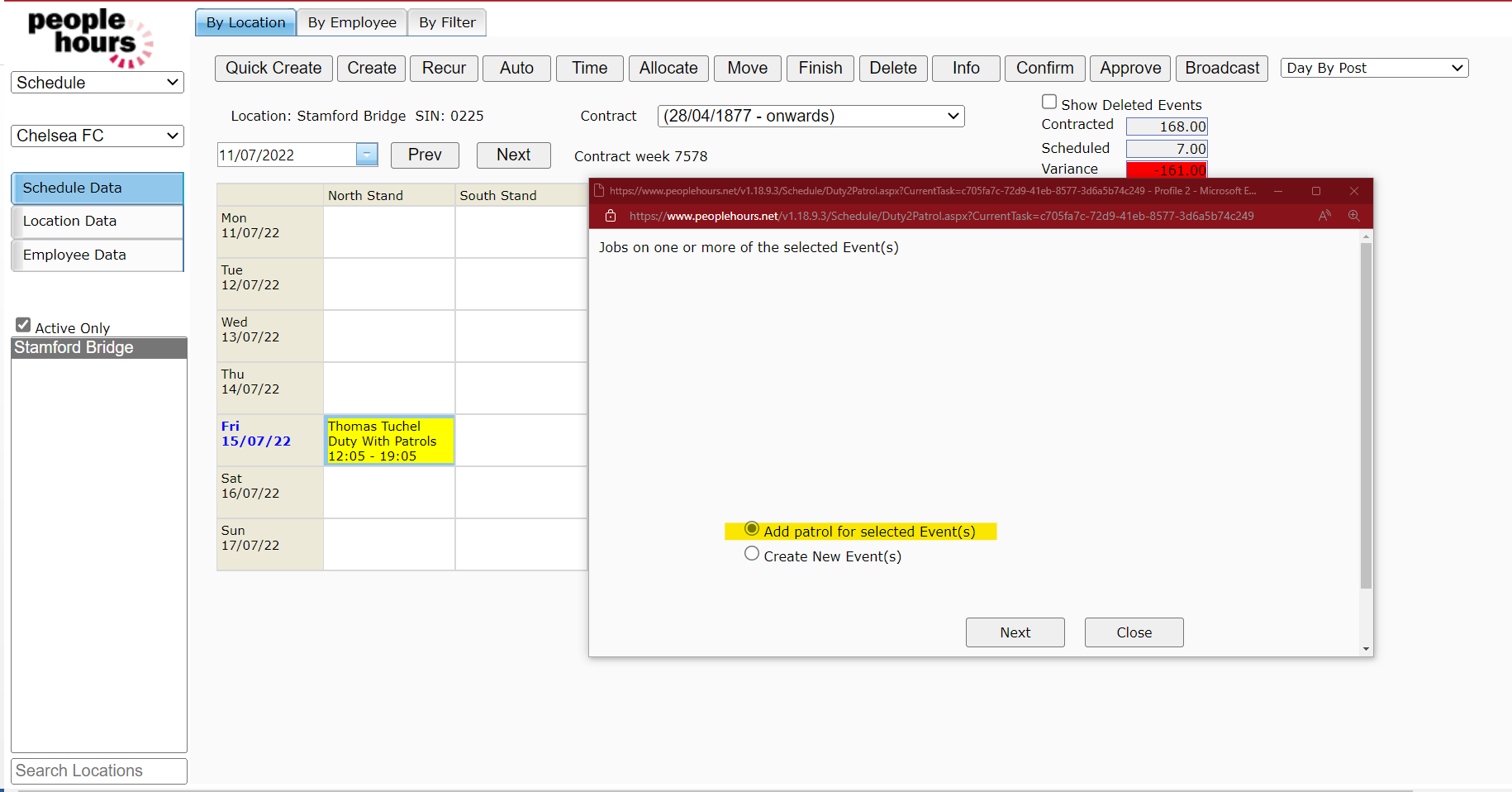
Once you have selected ‘Create’ you will need to select the option called ‘Add Patrol for selected Event(s)’ and press ‘Next’.
 Adding Patrols to Duties 11 |
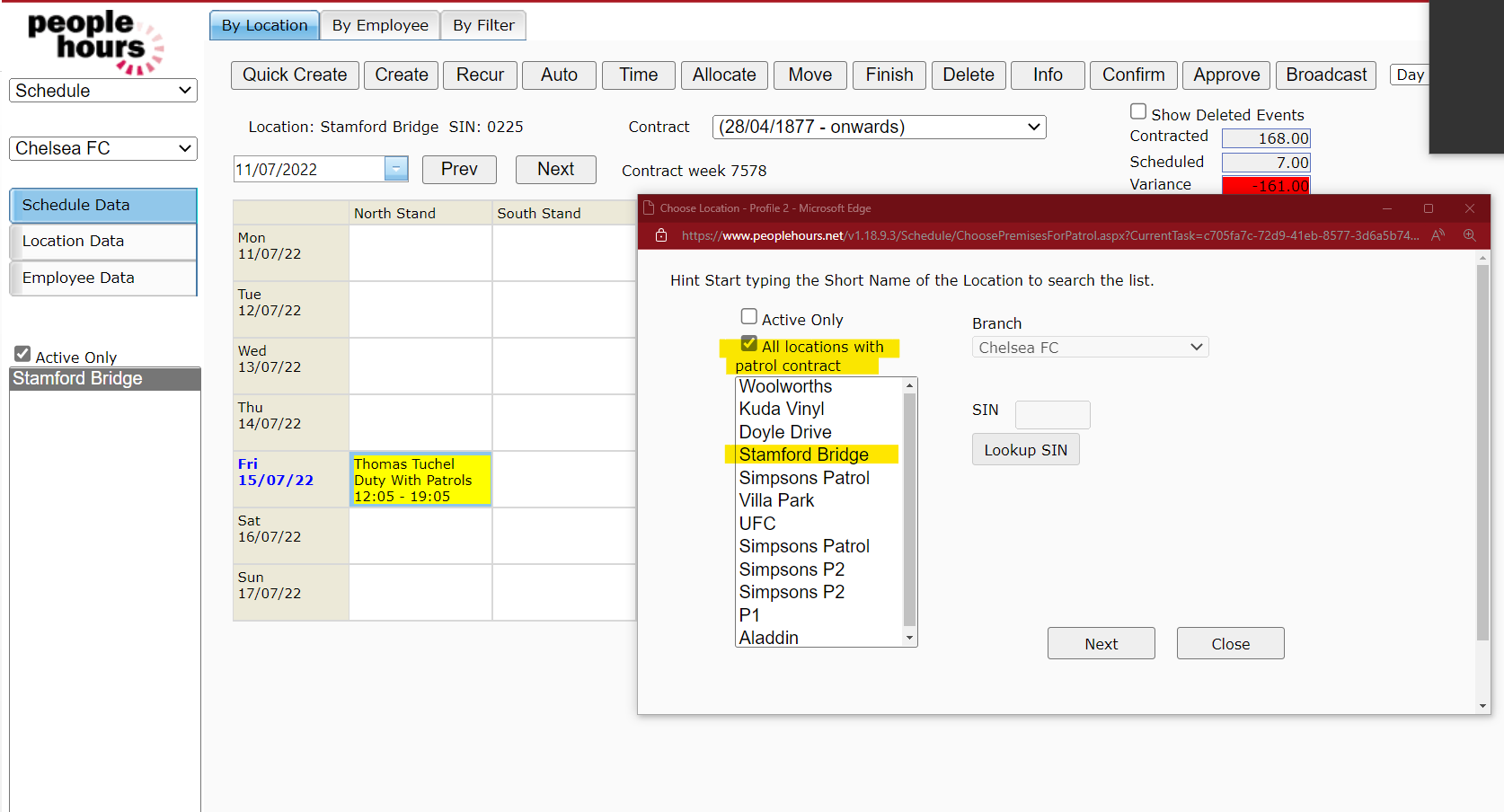
Tick ‘All Location with Patrol Contract’ select the Location within the Patrol (we have selected Stamford Bridge in the example below) and then click ‘Next’.
 Adding Patrols to Duties 12 |
Choose the patrols to be assigned to this duty and press ‘Save’.
Only Patrols that are within duty time will be presented.
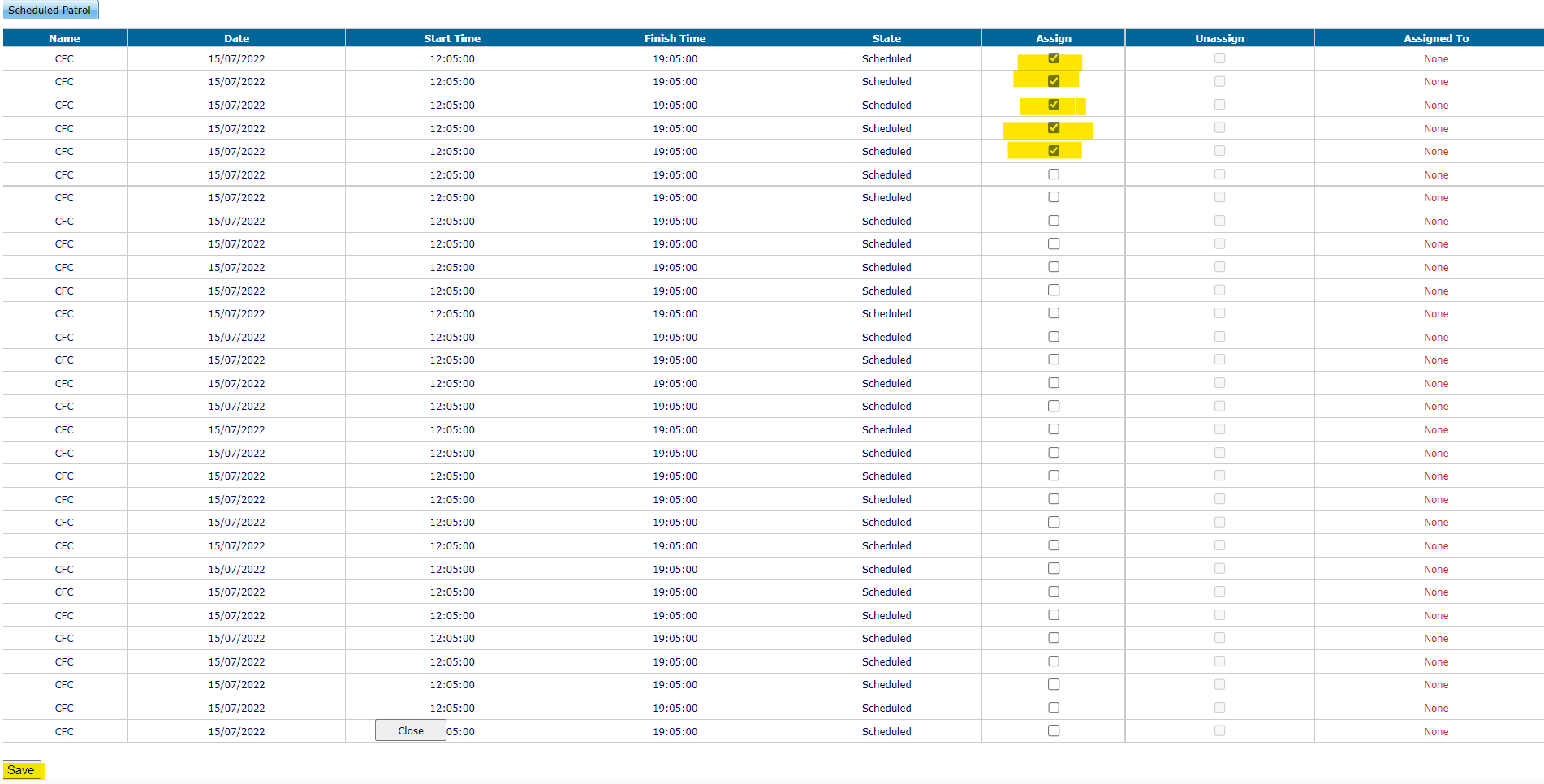 Adding Patrols to Duties 13 |
Once this has been done, you can then highlight the below duty and press the ‘Info’ button and then load ‘Patrol’ which will confirm it has now been successfully attached.
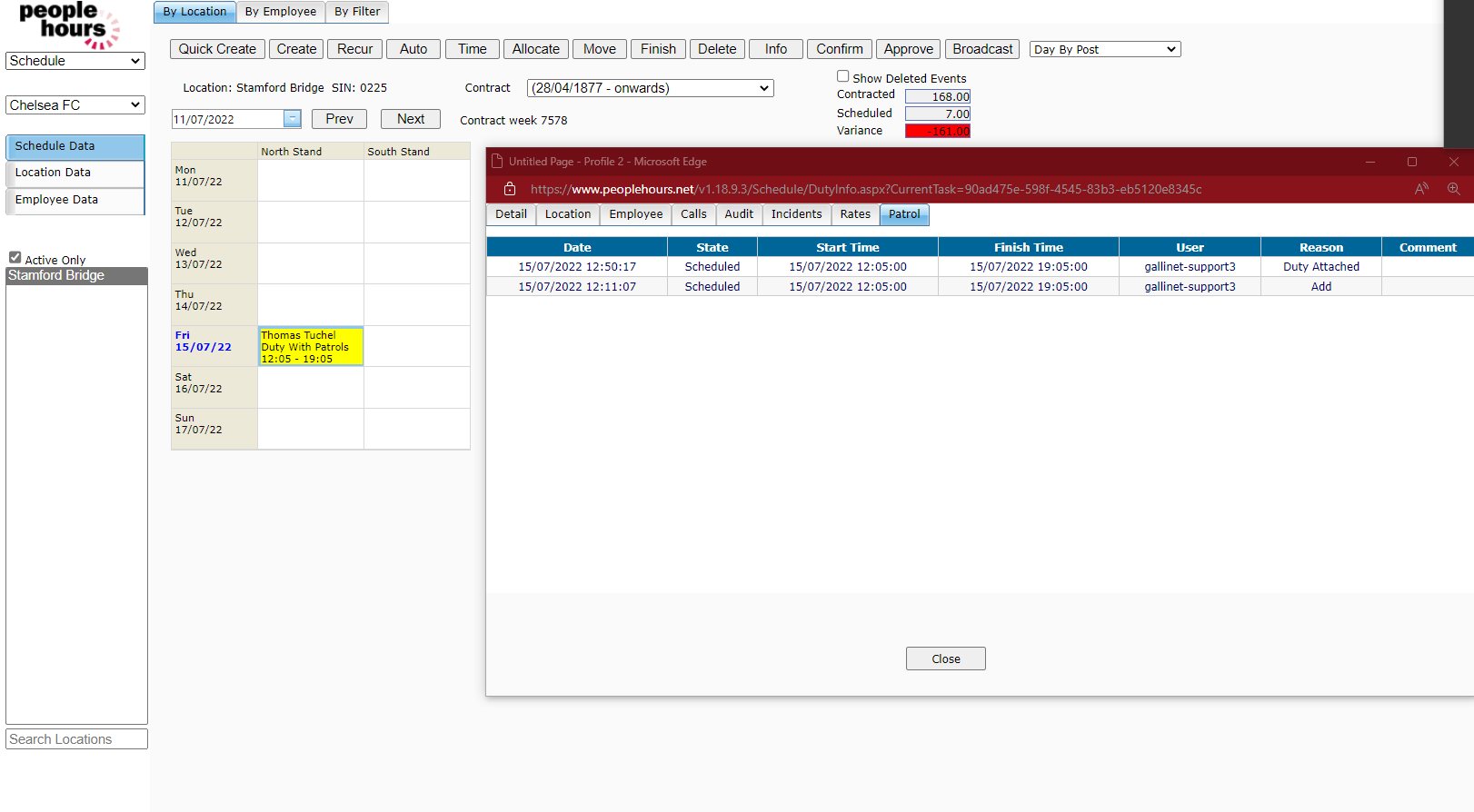 Adding Patrols to Duties 14 |