|
<< Click to Display Table of Contents >> TelMe Lite |
  
|
|
<< Click to Display Table of Contents >> TelMe Lite |
|
Your employer controls which version of TelMe you can use.
TelMe Lite is the free version of the fully featured TelMe employee app.
From the main menu, pressing the Duty button will open the main menu screen.
Options for Settings and the Duty button are available. Note that in the Lite version many of the options in Duty are not available.
The TelMe Duty screen provides details relating to your next or current duty including the following:
The duty start and finish times.
The location address, including post code, if pressed will open your devices default map application allowing you to plan your route or view traffic conditions or journey times.
The circular countdown timer details the time until the next call event, ON duty, OFF duty or CHECK (CHK) calls.
The timer will change colour to indicate when the next call can be made or if it has become overdue.
If the time in the duty circle is green, then the Send Call button will be available and pressing it will confirm the event.
For an ON call this will start your duty.
For a CHK call this will confirm your status.
For an OFF call this will end your duty.
The "Send Call" button will be marked unavailable if the next event is either too early or too late for the call to be made.
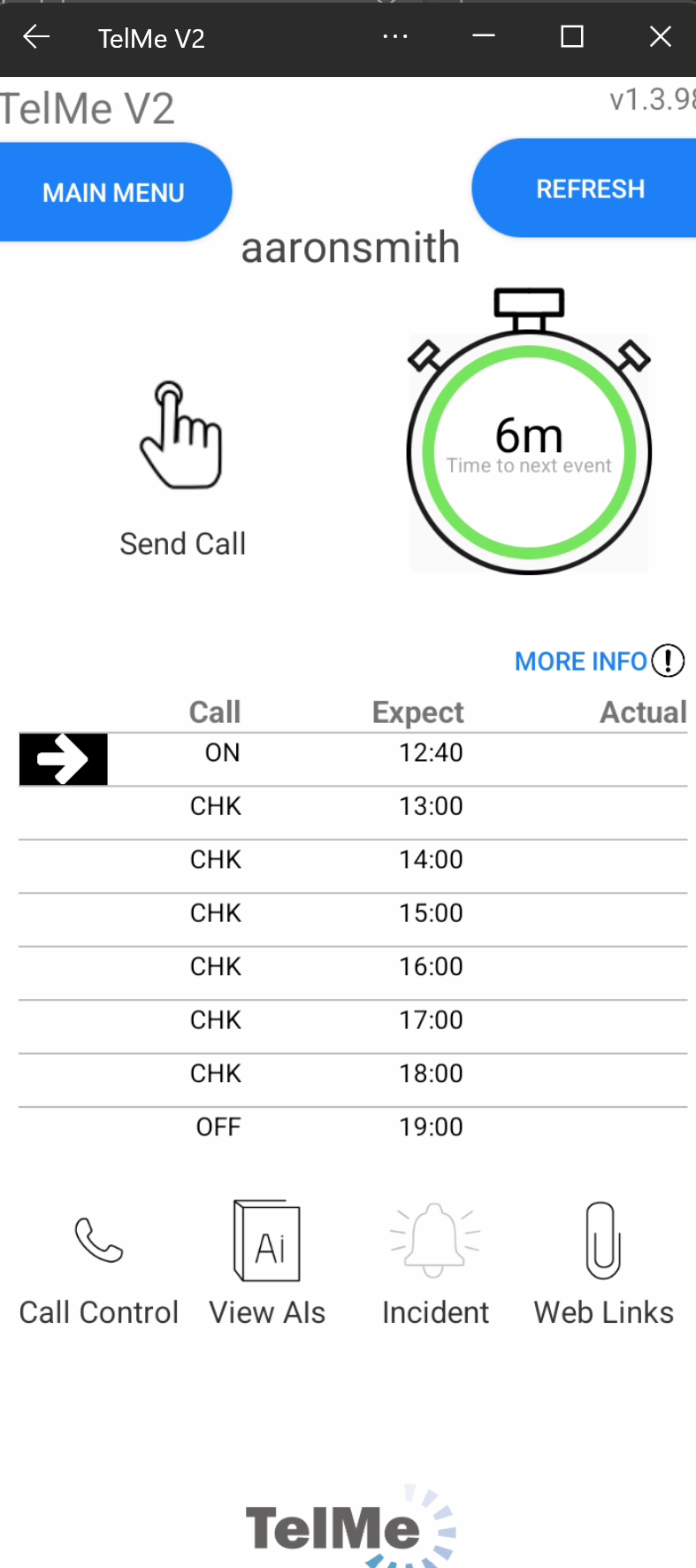 Call due |
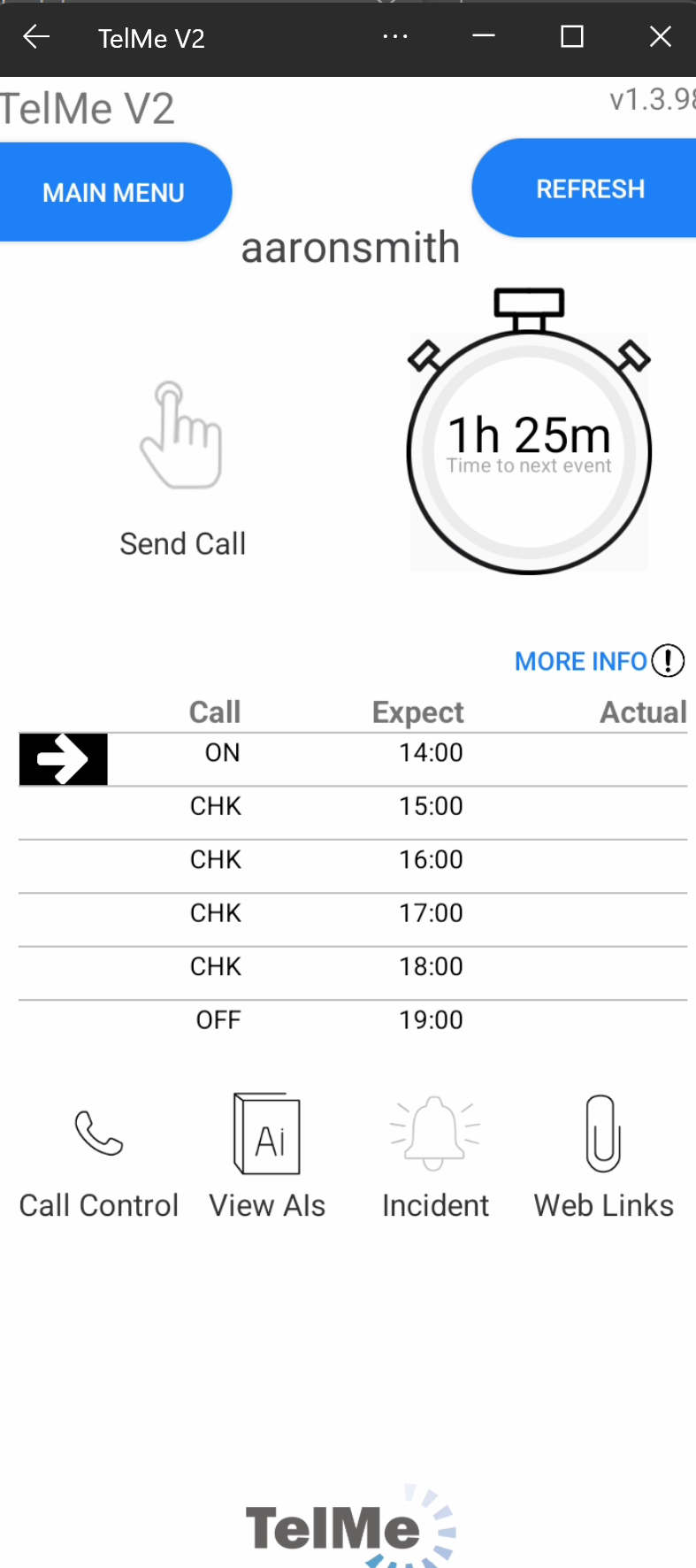 Call not yet due |
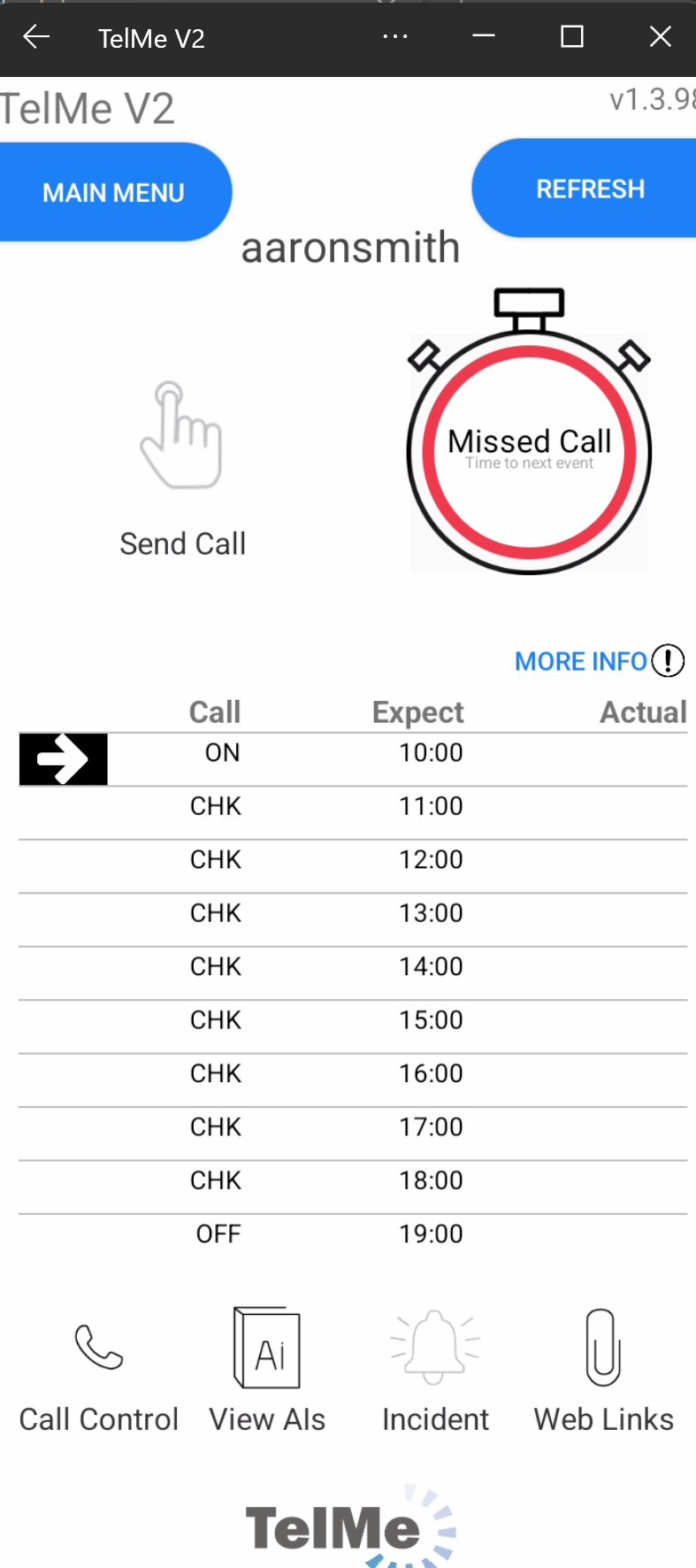 Call overdue |
A list on the right hand side of the screen details calls due and made with both expected and actual times recorded.
If your employer or their Control Room records any calls directly within PeopleHours, then this will cause the call event list to update within your app automatically.